Settings
Settings is where Prismedia describes and edits app-wide behavior. Most controls are descriptor-driven so the UI, defaults, and persistence stay aligned.
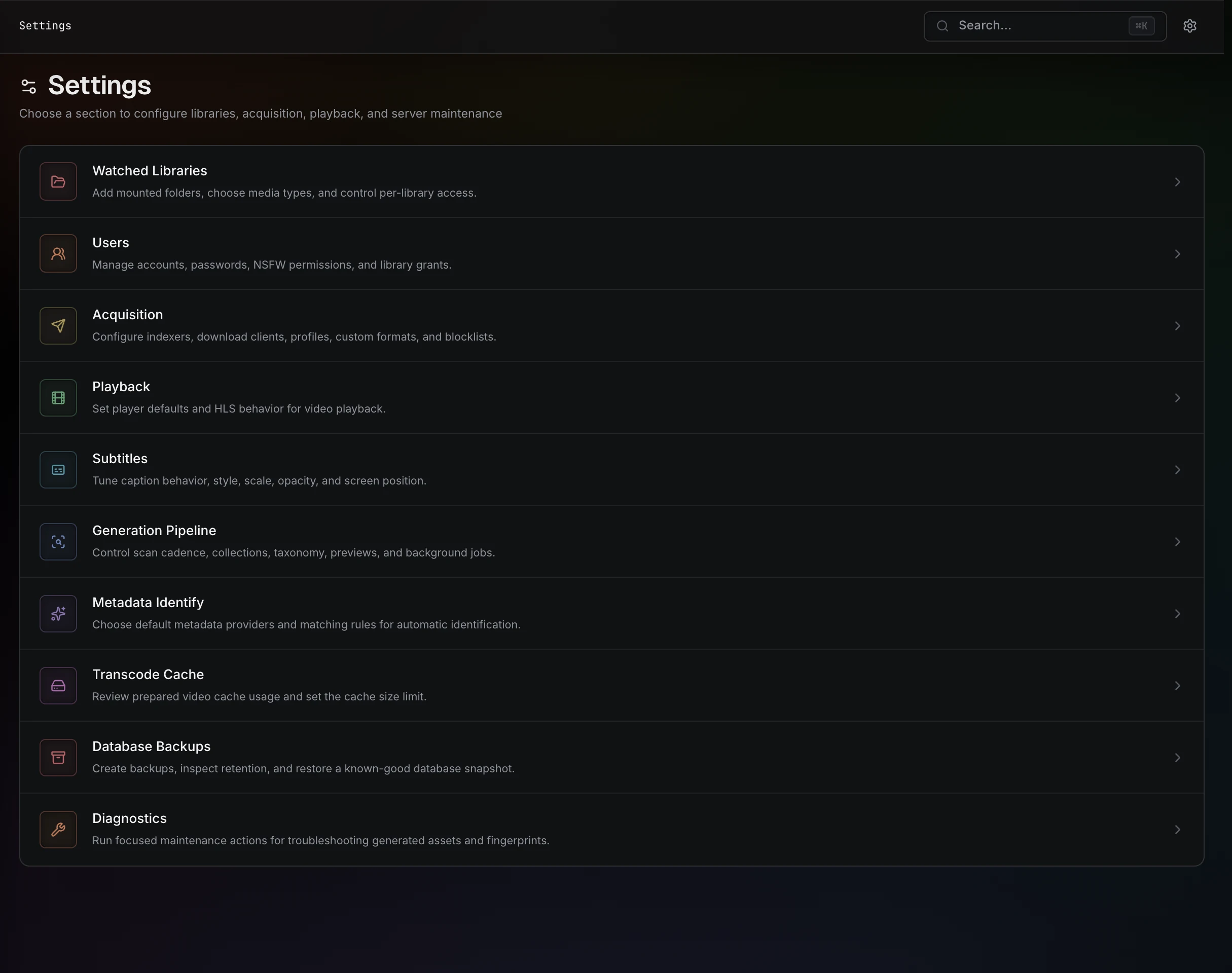
Watched libraries
A watched library root is a container path plus scan behavior. Typical examples:
| Root | Scan toggles |
|---|---|
/media/movies | Videos |
/media/images | Images |
/media/books | Books |
/media/music | Audio |
Per-root settings:
| Setting | Meaning |
|---|---|
| Enabled | Disabled roots stay configured but are skipped. |
| Recursive | Walk subfolders. |
| Scan videos / images / books / audio | Independent media-type scanners. |
| NSFW | Marks media under the root as restricted by default. |
| Auto Identify | Whether this root participates in automatic identification during scans. |
How files become entities is covered in Library & Scanning.
Content visibility
NSFW visibility is a per-user permission: an administrator grants Allow NSFW per account in Settings → Users. A permitted user chooses whether restricted content currently shows from their Account page (the choice is remembered per browser); users without the permission never see NSFW content, in the web app or any connected client.
Visibility applies across browse pages, search, files, identify, plugin providers, relationship surfaces, playback, and OPDS.
Playback
Playback settings cover direct/stream-copy/HLS behavior, adaptive transcoding (defaults to Auto), generated preview defaults, player preferences, and resume behavior.
Subtitles
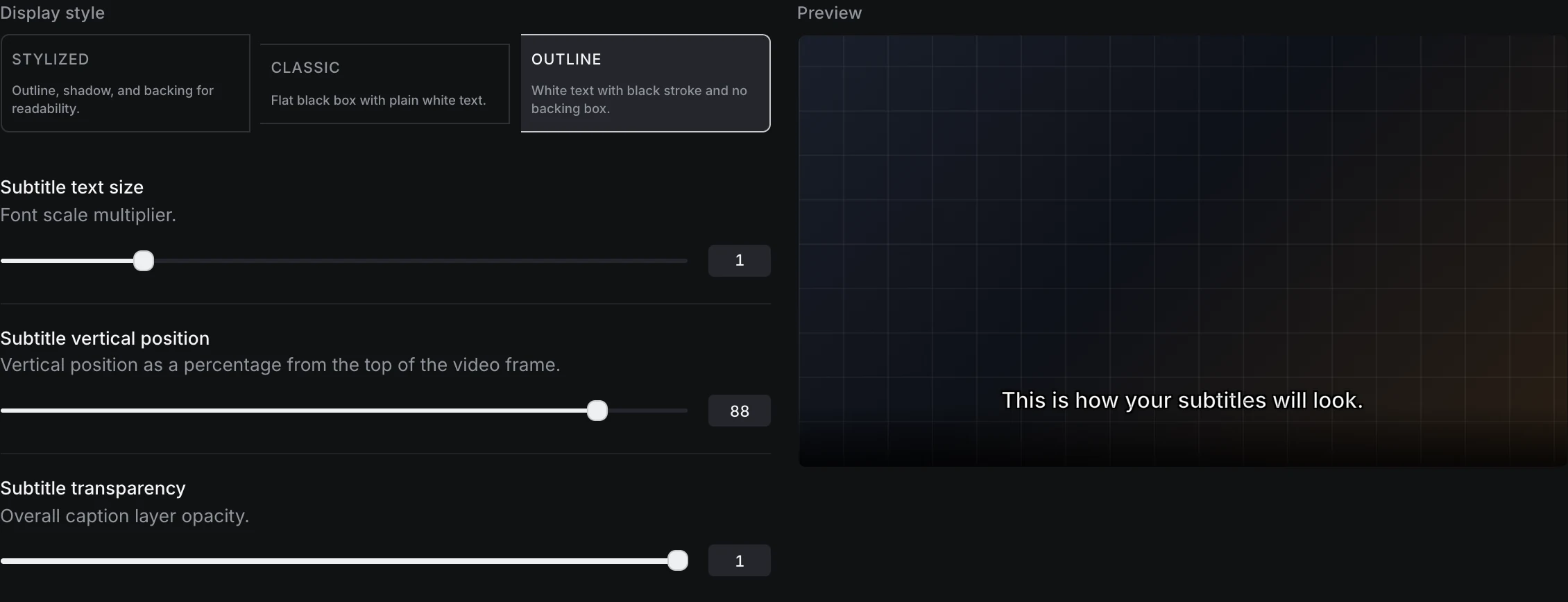
Subtitle settings control:
- Auto-enable on playback.
- Weighted language and label terms for automatic track selection. Positive weights promote matches;
negative weights demote them, so
English: 100withForced: -50favors a plain English track over an English Forced track. - OpenSubtitles.com connection and credential testing.
- Automatic acquisition languages and the minimum identity confidence required for unattended downloads.
- Caption style, text size, vertical position, and transparency.
To connect OpenSubtitles, sign in at OpenSubtitles.com, create an application key under Profile → API Consumers, then enter that key plus the same account username and password in Settings → Subtitles. Prismedia stores credentials server-side and only returns configured/not-configured flags to the browser.
Automatic acquisition runs after embedded and adjacent subtitles have been reconciled. It skips any configured language already present and only downloads an exact file-hash match or other high-confidence, non-conflicting identity match. The OpenSubtitles hash is generated on demand for a search even when the general fingerprint toggle is off.
Video pages can apply local per-browser overrides from the player.
Generation pipeline
Generation settings control background work such as thumbnails, sprites, trickplay tiles, waveforms, subtitle extraction, fingerprints, and HLS output. These affect future scans and rebuild actions.
Fingerprints are split into two independent toggles:
| Fingerprint | Default | Notes |
|---|---|---|
| OpenSubtitles hash (oshash) | On | Reads only a small slice of each file — cheap. |
| MD5 checksum | Off | Must read every byte; the slow part of fingerprinting on large libraries. Turn it on only if you need it. |
Generated storage
Generated-storage diagnostics help you understand and refresh cached assets under /data — thumbnails, sprites, trickplay tiles, HLS renditions, waveform data, plugin artwork, and extracted subtitles.
Database backups
Database Backups creates one automatic database backup per day, keeps seven days of automatic backups, and lets you create permanent manual restore points with Backup Now. Restore is intentionally destructive: choose a completed backup, type DESTROY AND RESTORE, and Prismedia replaces the current database on restart.
See Backups & Restore for retention, storage paths, and restore details.
Acquisition
Open Settings → Acquisition to connect the indexers and download clients used by the Request workflow. Metadata search is provided separately by enabled plugins.
Configure:
- Indexers to find releases.
- Download clients to transfer the releases you select.
- Acquisition profiles to choose the media kind, target library root, quality preferences, naming template, and import mode.
- Remote path mappings when a download client reports a path that differs from the path Prismedia can access.
An import profile can move files, copy them, or create hardlinks. Copying keeps a separate library copy; hardlinks require the source and destination to be on the same filesystem. Choose the mode to match your storage and seeding requirements.
Add a compatible watched root before creating the profile. See Organize Your Media Folders for the difference between completed downloads and the library destination.
Worker
Worker settings include concurrency and scheduling behavior. Higher concurrency helps on large machines and hurts on small disks; raise it carefully. Changes apply without a restart.
Users
Manage user accounts: create, edit, disable, or delete users, reset passwords, set roles, grant NSFW visibility and library-creation rights, and choose which libraries each member can see. Web and native API sessions belong to these accounts, and OPDS readers use the same credentials. See Authentication & User Accounts.
Diagnostics
Diagnostics show build/version/channel information, runtime state, update checks, storage actions, and maintenance controls. Include this information when filing bugs.