Jobs & Operations
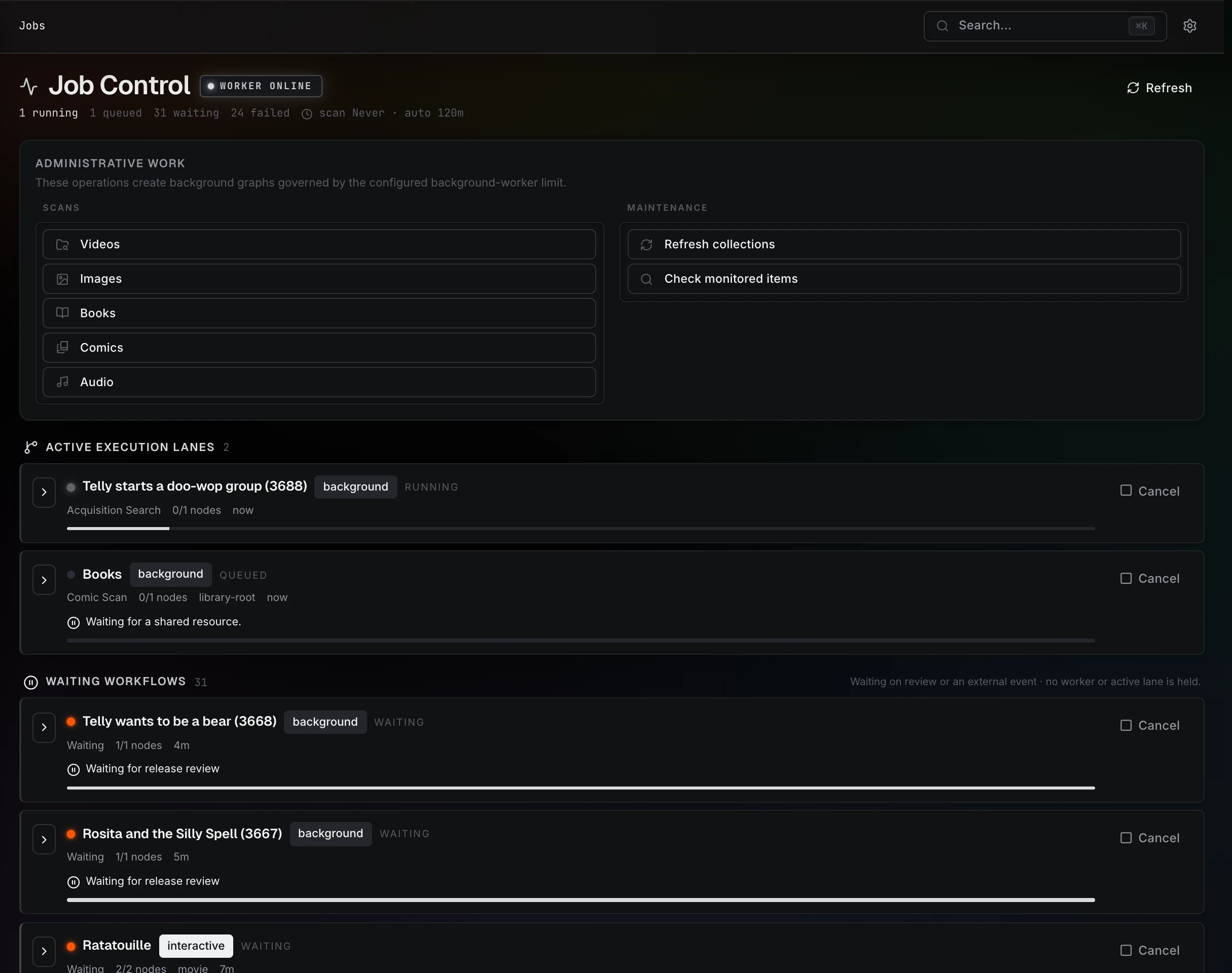
Open Jobs to see what the server is doing. The page is titled Job Control and separates work that is actively running from workflows waiting for a decision or an external event.
Read the status first
The top of the page shows whether the worker is online, along with running, queued, waiting, and failed counts.
| Section | What it means | What to do |
|---|---|---|
| Active execution lanes | Work running now, or queued for a worker or shared resource. | Expand a lane to inspect its steps and current message. |
| Waiting workflows | A workflow needs review or an external event, such as a completed download. It is not holding an active worker lane. | Read the waiting reason and open the related item to review or continue it. |
| Recent lanes | Recently completed or failed work. | Open a failure and read its error before retrying. |
A request waiting for release review and an Identify proposal waiting for approval are expected pauses. Increasing worker concurrency will not approve either one.
Run a scan
Under Administrative work, choose the medium in Scans: Videos, Images, Books, Comics, or Audio. The maintenance actions can refresh collections or check monitored items.
You can also start from Settings → Watched Libraries or use Files to rescan a particular location. A newly added root scans its enabled media types automatically.
Scans discover files and schedule related work such as probes, artwork, previews, subtitles, and metadata. The library can become usable while heavier background generation continues. See Your First Library & Scan.
When work fails
Read the lane's message and the relevant container log excerpt. Common causes include:
- A source path that no longer exists or cannot be read.
- A read-only destination for an import or file operation.
- Full storage under
/data. - A provider or download-client connection error.
- A damaged or unsupported media file.
Fix the cause before retrying. Cancelling work stops that workflow; it does not repair a failing service or make a missing file available.
When nothing moves
-
Check the worker status at the top of the page.
-
Expand the active or queued lane and read its current message.
-
Check whether the workflow is actually waiting for review.
-
Read the container logs:
docker compose logs --tail 200 prismedia
If the worker stopped unexpectedly, a container restart can let it recover expired leases. Persistent failures need their underlying cause resolved. See Troubleshooting.
Background work and storage
Scans and media generation share worker and storage capacity. Higher concurrency increases demand on the CPU and disks; start conservatively and inspect the running work before raising it.
Generated assets live under /data, including thumbnails, playback renditions, waveforms, subtitle tracks, and plugin artwork. Settings → Transcode Cache manages prepared video storage, and Settings → Diagnostics provides focused maintenance actions. Your source media remains in its own mounted folders.