Your Web. Your Archive.
Your Server.

Self-hosted, plugin-based web content archiver.
One Docker container. One command. Done.
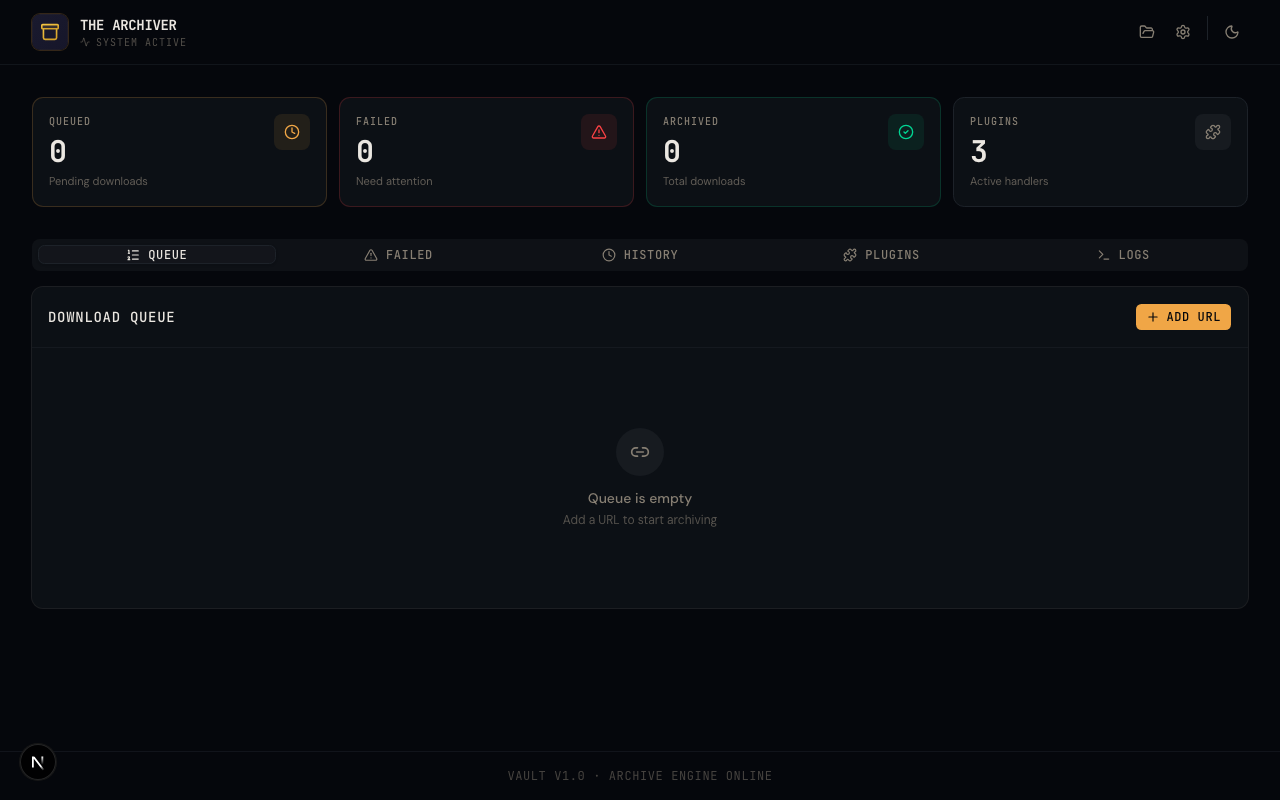
The Archiver Dashboard — real-time queue monitoring, stats, plugin management, and server console

Everything you need to archive the web

01

Plugin-Based Downloads

Drop-in TypeScript plugins matched by URL pattern. Browse and install from the community marketplace, or write your own. Drag-and-drop priority reordering.

02

Real-Time Dashboard

Live queue monitoring, download stats, history, schedules, and server console. Auto-refreshing data via SSE and polling.

03

File Browser & Preview

Browse, organize, and manage your archive. Click any file for full-viewport preview — images, video with HLS streaming, audio, text, and PDF. Video thumbnails and folder collages.

04

Scheduled Archiving

Cron-like system to automatically re-queue URLs on a schedule. Simple presets or custom cron expressions with run tracking.

05

REST API & Multi-Device

Simple POST or GET endpoint. Archive from Apple Shortcuts, browser bookmarklets, Tasker, IFTTT, n8n, or any automation tool. PWA support for mobile home screen.

06

Extensible Plugin Views

Plugins can ship custom file browser views, preview handlers, and thumbnail providers. Community plugin marketplace for one-click installation.

Next.js 16 / React 19 / SQLite / Drizzle ORM / SSE / Docker

Up and running in 30 seconds

01

Run the container

Single Docker command. No Redis, no external database, no orchestration.

02

Open the dashboard

Navigate to localhost:3000 to access the full web interface.

03

Archive a URL

Submit via the UI, REST API, Apple Shortcut, or bookmarklet. A matching plugin handles the rest.

terminal
$ docker run -d \
-p 3000:3000 \
-v ./data:/data \
-v ./downloads:/downloads \
-v ./plugins:/plugins \
ghcr.io/pauljoda/the-archiver:latest
# Archive a URL via the API
$ curl -X POST \
http://localhost:3000/api/download \
-H "Content-Type: application/json" \
-d '{"url": "https://example.com/content"}'

Extend with TypeScript plugins

  • TypeScript-first with full type safety
  • URL pattern matching with drag-and-drop priority
  • Built-in helpers for HTML, file I/O, strings, and process exec
  • Community marketplace or manual install
  • Hot-reload without server restart
  • Custom views, previews, thumbnails, and settings
my-plugin/index.ts
import { definePlugin } from "../../src/plugins/types";
export default definePlugin({
name: "My Plugin",
urlPatterns: ["https://example.com"],
async download(context) {
const { url, helpers, logger } = context;
// Fetch and parse HTML
const html = await helpers.html.fetchPage(url);
const $ = helpers.html.parse(html);
// Download files
await helpers.io.downloadFile(imageUrl, path);
return { success: true };
},
});