Settings
The Settings page (sidebar → Settings) is the master configuration hub. This page is a tour of every section.
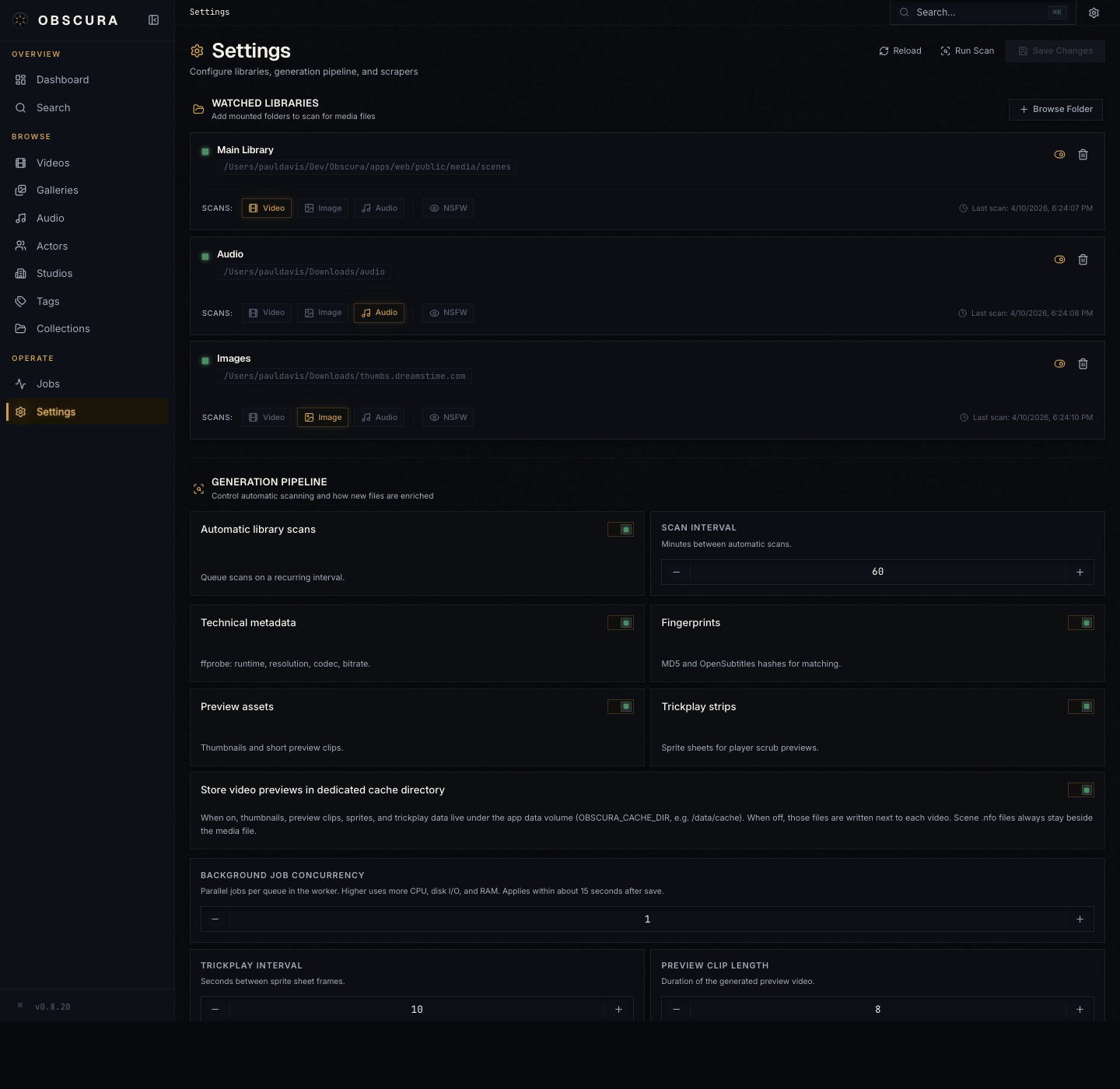
Settings auto-save: change a value and it persists immediately. Defaults are stored in the library_settings table.
Watched Libraries
The list of paths Obscura scans, plus the global scan-behavior toggles.
Library roots
Each row is one library root. Add library root opens a form:
| Field | Meaning |
|---|---|
| Path | A path inside the container, e.g. /media/movies. |
| Label | Optional display name. |
| Recursive | Walk subdirectories. Almost always on. |
| Scan videos / Scan books / Scan galleries / Scan audio / Scan images | Independent scan-type flags. Pick what's actually under this path. Books (.cbz/.zip archives) and galleries (image folders) are separate flags — enable the one that matches the content. |
| Is NSFW | Mark every entity discovered under this root as NSFW by default. |
Global scan behavior
| Setting | Default | Effect |
|---|---|---|
| Auto-scan enabled | off | Run scans on a schedule. |
| Scan interval (minutes) | 60 | Cadence of scheduled scans. |
| Auto-generate metadata | on | Probe new files on import. |
| Auto-generate fingerprints | on | Compute MD5/oshash on import. |
| Generate pHash | on | Stash-compatible perceptual hash for video and image identify. |
| Auto-generate preview | on | Build the short preview clip. |
| Generate trickplay | on | Build the timeline-hover sprite sheet. |
| Trickplay interval (s) | 10 | Seconds between trickplay frames. |
| Preview clip duration (s) | 10 | Length of the auto-generated preview clip. |
| Thumbnail quality | 2 | 1 (smallest) – 5 (sharpest). |
| Trickplay quality | 2 | Same scale, applies to sprite sheet. |
| Background worker concurrency | 1 | Multiplier on per-queue concurrency, 1–16. |
Bumping concurrency speeds up a fresh scan but uses more CPU. Pick what your hardware can carry.
Content Visibility (NSFW)
A three-way visibility control that filters NSFW entities and providers across the whole UI.
| Mode | Behavior |
|---|---|
| Off | Hides NSFW entities from grids, filters, pickers; hides NSFW plugins from the provider picker. |
| Show | Displays everything. |
| LAN auto-enable | Off by default; auto-flips to Show when the client is on the LAN (decided at app boot via /api/client-info). |
The mode persists in a cookie (obscura-nsfw-mode) with a one-year max-age and survives restarts.
Global keyboard shortcut: Cmd+Shift+Z / Ctrl+Shift+Z toggles between Show and Off, leaving LAN auto alone.
This setting affects:
- All grid and list pages
- The Identify provider picker
- The Plugin / Scrapers / StashBox tabs
- Search results
- The Operations dashboard (NSFW jobs are hidden in Off mode)
Playback
| Setting | Default | Effect |
|---|---|---|
| Default playback mode | direct | The mode the video player opens in. Pick hls if you want adaptive bitrate by default. |
Per-video overrides via the player's quality menu always trump this. See Playback.
Subtitles
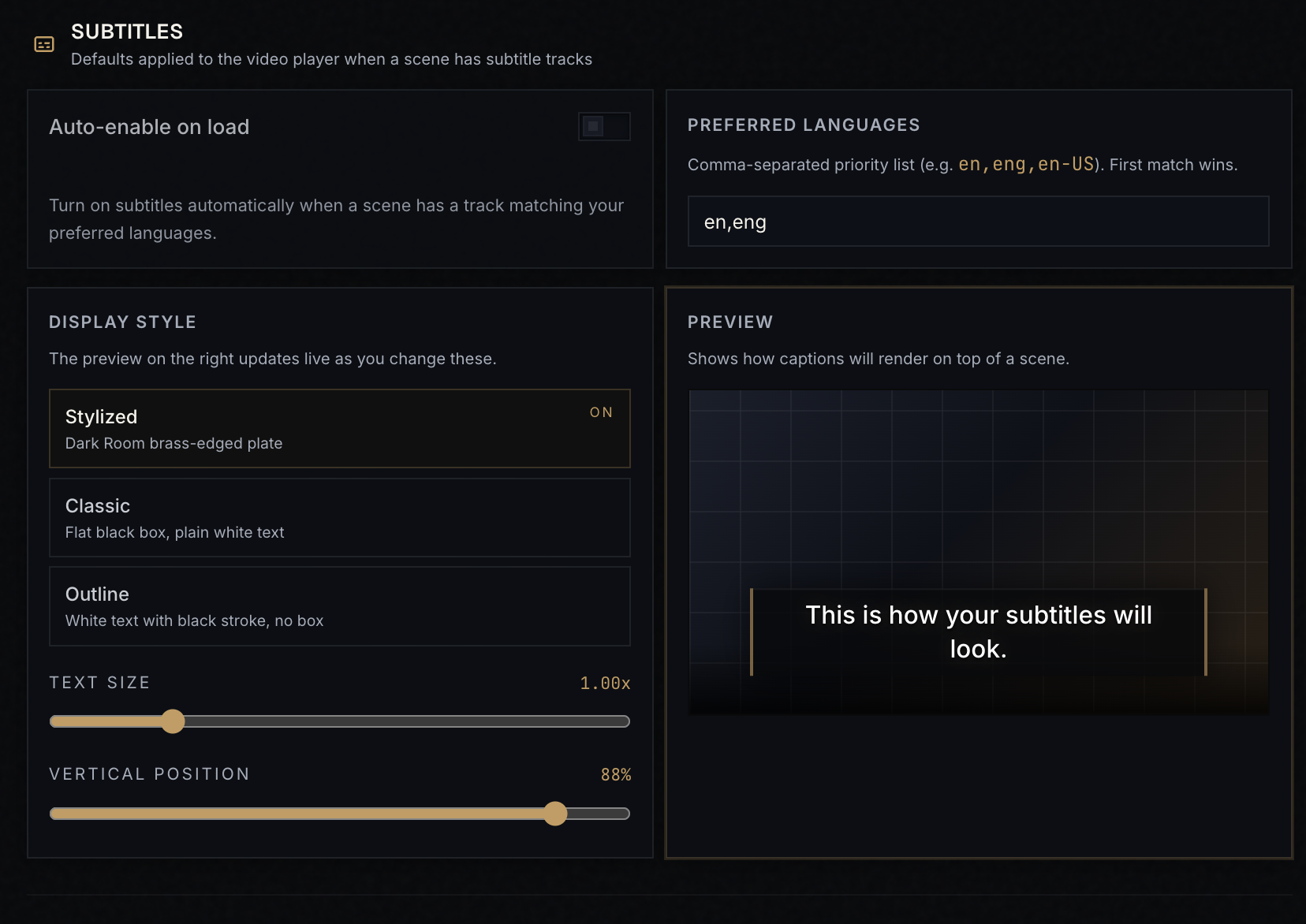
| Setting | Default | Effect |
|---|---|---|
| Auto-enable | off | Auto-pick the first matching preferred-language track on play. |
| Preferred languages | en,eng | Comma-separated language codes; tried in order. |
| Style | Stylized | Stylized adds outline + shadow; Plain is minimal. |
| Font scale | 1.0 | 0.5–2.0. |
| Position | 90% | Vertical position from the top. |
| Opacity | 1.0 | 0–1. |
Live preview at the bottom of the panel updates as you adjust. Per-video tweaks via the player's subtitle button persist in localStorage per video; they take precedence over these defaults.
Metadata Providers
This section lists every installed plugin and scraper. For each, you can:
- Toggle enable / disable
- Inspect declared capabilities (which entity types and actions are supported)
- Set or update API keys (encrypted at rest)
- Test the connection (where applicable)
- Update to a newer version when the registry has one
- Uninstall
The full plugin browser lives at Plugins in the sidebar; this section is the at-a-glance view.
For deeper coverage see Identify & Scrape · Plugin management and Plugins · Overview.
Generation Pipeline
Controls for what gets generated alongside imports. The toggles overlap with Watched Libraries → Global scan behavior but live here as a "what does the worker make" view rather than a "what does the scanner do" view.
| Setting | Effect |
|---|---|
| Generate previews | Build the short auto-preview clip per video. |
| Generate trickplay | Build the sprite sheet for timeline hover. |
| Generate pHash | Stash-compatible perceptual hash (video + image). |
| Generation storage | Cache (default; lives under /data/cache) or Adjacent (write next to the source file). |
| Quality sliders | Same scales as in Watched Libraries. |
Adjacent storage is useful if you want generated assets to travel with the file — e.g. you have a multi-disk setup and want previews on the same disk as the source. Most people leave this on Cache.
Generated Storage
Live stats and tools for what's in /data/cache:
- Storage usage — total bytes consumed by HLS renditions, thumbnails, sprites, waveforms, and metadata images.
- Per-type breakdown — how much each kind takes.
- Migrate — move stored assets between Cache and Adjacent storage modes.
- Cleanup tools:
- Force-rebuild previews — wipe and regenerate everything for selected entities.
- Backfill pHashes — compute pHash for any entity that's missing one.
- Clear all metadata — drop every scrape result and identify cache (the entities themselves stay).
Diagnostics
The bottom of the page is for "what version is this and what does it know about itself."
- App version — the
package.jsonversion at build time. - Database status — connectivity, latest applied migration.
- Queue info — pg-boss schema info.
- Debug logs — export the recent log buffer for support.
Where this lives in the database
Most settings are in the library_settings singleton table — one row, columns per knob. Library roots are in library_roots (one row per path). UI preferences (per-list view mode, sort, filter presets) are in ui_prefs (key-value, one row per preference key).
You normally don't touch these directly, but if you're scripting maintenance or debugging:
-- See current settings
SELECT * FROM library_settings;

-- See your roots
SELECT id, path, label, scan_videos, scan_books, scan_galleries, scan_audio, scan_images
FROM library_roots;